Core Concepts
Tickets, Sessions, Attendees, and Registrations
These four concepts are the most commonly confused in Forge. They are related but distinct — understanding the difference is essential for building events correctly and interpreting your data.
Quick comparison
| Concept | What it is | Salesforce object | Created when |
|---|---|---|---|
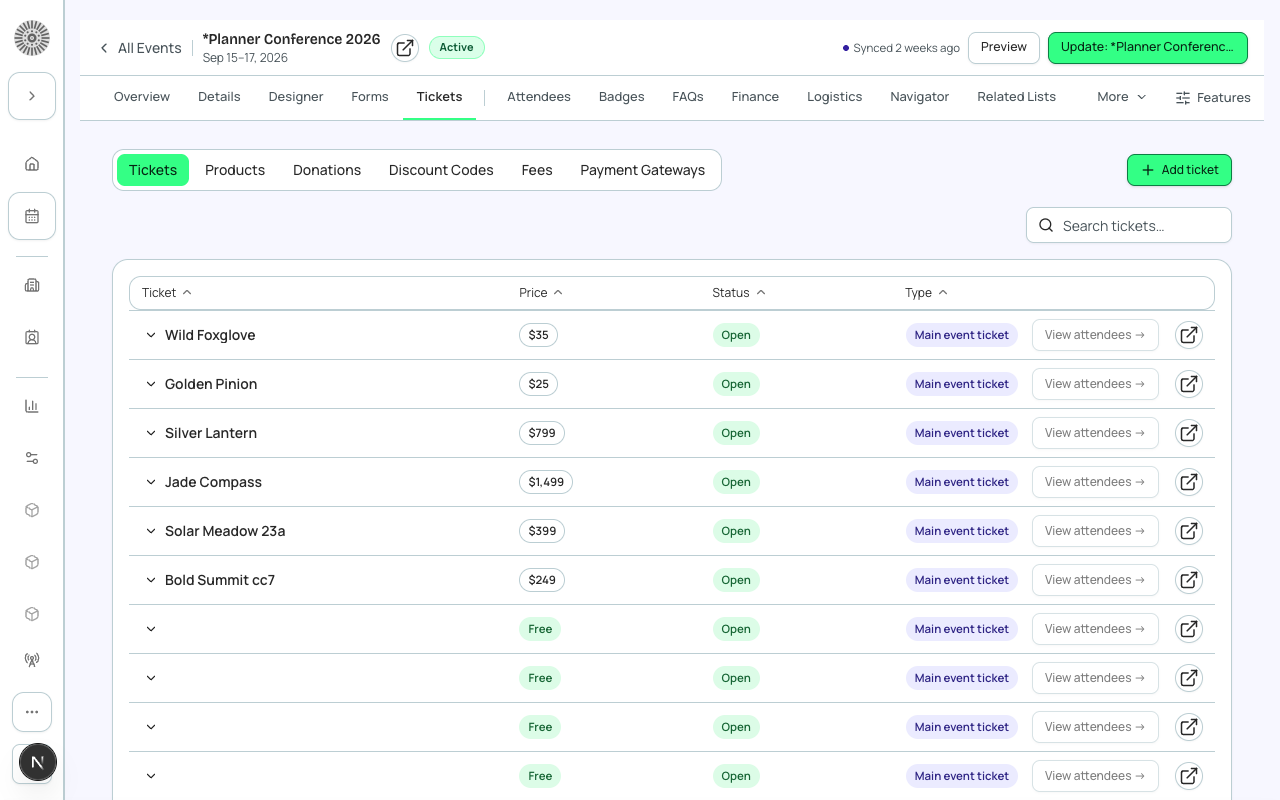
| Ticket / Item | A purchasable or free item that grants access to an event or session. Has a price, quantity, and status. | conference360__Event_Item__c | Event planner adds it in Forge. |
| Session | A scheduled breakout, workshop, or track within an event. May have its own capacity and enrollment rules. | conference360__Session__c | Event planner adds it in Forge. |
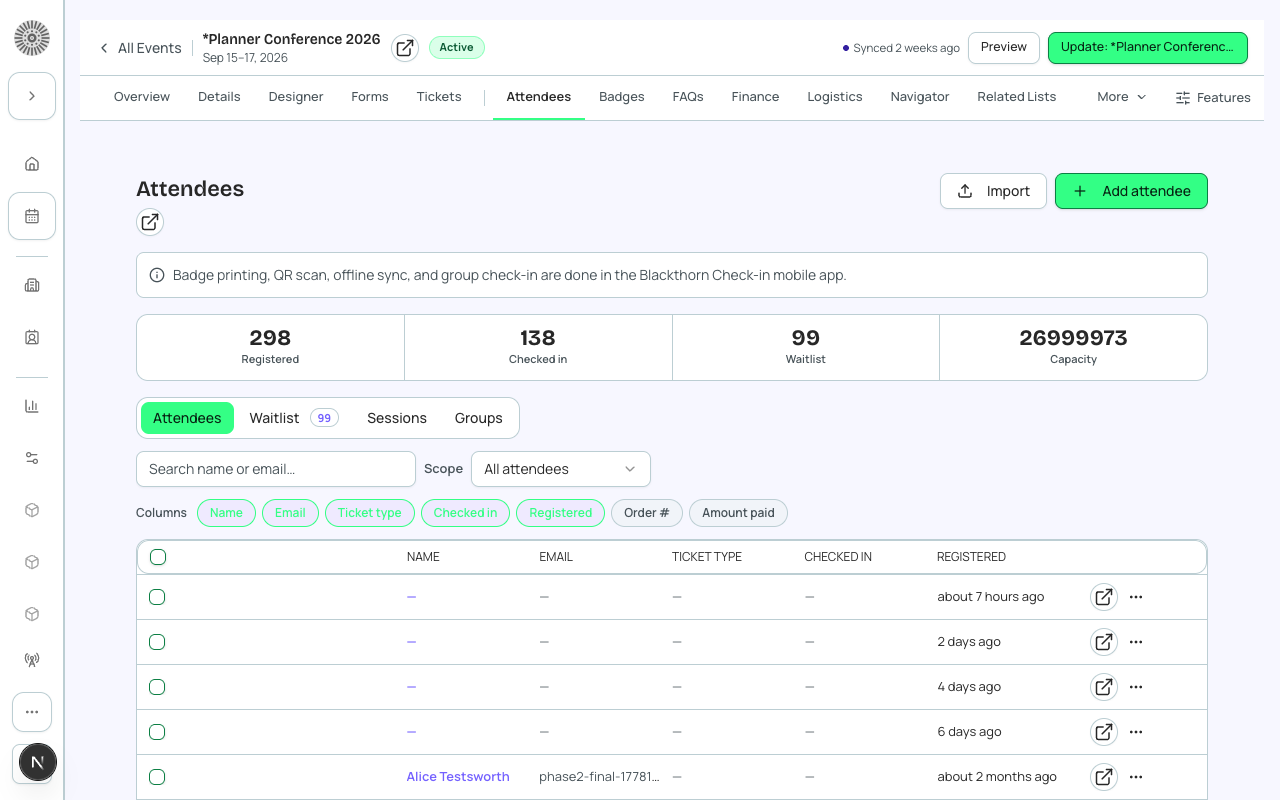
| Attendee | A person who has registered for the event. Linked to a Salesforce Contact or Lead. Holds the person's name, email, and status. | conference360__Attendee__c | Created automatically when someone completes registration. |
| Registration | The overall transaction record linking an attendee to the event, the ticket(s) purchased, and the payment (if paid). | conference360__Attendee__c (primary) + bt_stripe__Transaction__c (if paid) | Created automatically on registration completion. |
Tickets / Items in detail
A Ticket (or Item) is the thing a registrant selects during checkout. One event can have many ticket types — general admission, VIP, early bird, donation, or product.
| Forge | SF Object | SF Field |
|---|---|---|
| Ticket name | conference360__Event_Item__c | Name |
| Price | conference360__Event_Item__c | conference360__Price__c |
| Free (no charge) | conference360__Event_Item__c | conference360__Free__c |
| Type (Ticket / Donation / Product) | conference360__Event_Item__c | conference360__Type__c |
| Status (On Sale / Sold Out / etc.) | conference360__Event_Item__c | conference360__Status__c |
| Quantity available | conference360__Event_Item__c | conference360__Quantity__c |
Sessions in detail
Sessions represent specific time slots within an event — keynotes, workshops, breakout tracks, and meals. A session has a start time, end time, room, and optional capacity limit. Sessions can be linked to specific ticket types so that only certain attendees can enroll.
| Forge | SF Object | SF Field |
|---|---|---|
| Session name | conference360__Session__c | Name |
| Parent event | conference360__Session__c | conference360__Event__c |
| Start / End time | conference360__Session__c | conference360__Session_Start__c / conference360__Session_End__c |
| Room | conference360__Session__c | conference360__Room__c |
| Capacity | conference360__Session__c | conference360__Maximum_Registrants__c |
Attendees in detail
An Attendee record is created for each person who registers. It also holds two separate status fields — Registration Status and Attendance Status (see Statuses and Lifecycle) — that are tracked independently. Attendee PII (name, email, phone) is fetched from the linked Contact or Lead. Standard Attendee.Contact / Attendee.Lead lookups are the norm; check with your Blackthorn contact if your org relies on Person Accounts or attendees with no Contact/Lead lookup at all, since field visibility for those cases needs a case-by-case check.
PII is on the Contact or Lead, not the Attendee
The conference360__Attendee__c record stores a lookup to a Contact or Lead. Names, email addresses, and phone numbers live on those standard Salesforce objects. Forge fetches them just-in-time when rendering the attendee list. This means Salesforce field-level security on Contact.Email controls whether a Forge user can see an attendee's email address.
| Forge | SF Object | SF Field |
|---|---|---|
| Registration status (Lead / To Invite / Invited / Pending / Registered / Declined / Canceled / Waitlisted - Pending / Waitlisted - Rejected / Awaiting Approval / Rejected) | conference360__Attendee__c | conference360__Registration_Status__c |
| Attendance status (Pending / Attended / No-Show) | conference360__Attendee__c | conference360__Attendance_Status__c |
| Linked Contact | conference360__Attendee__c | conference360__Contact__c |
| Linked Lead | conference360__Attendee__c | conference360__Lead__c |
| Event | conference360__Attendee__c | conference360__Event__c |
Registrations in detail
"Registration" is not a standalone Salesforce object — it describes the combined state of an Attendee record plus any associated Transaction records. For a paid ticket, a bt_stripe__Transaction__c record is created and linked to the Attendee. Together, these records represent the complete registration — this applies to both free and paid events; a free registration simply has no linked Transaction.