Core Concepts
Forms and Field Mapping
Forge Forms let you collect custom information from registrants during checkout. By default, answers are written to a Form Submission record in Salesforce; individual questions can additionally be mapped to write directly to a field on Contact, Lead, Account, or Attendee. Either way, answers are written to Salesforce immediately and are never stored in Forge's own database.
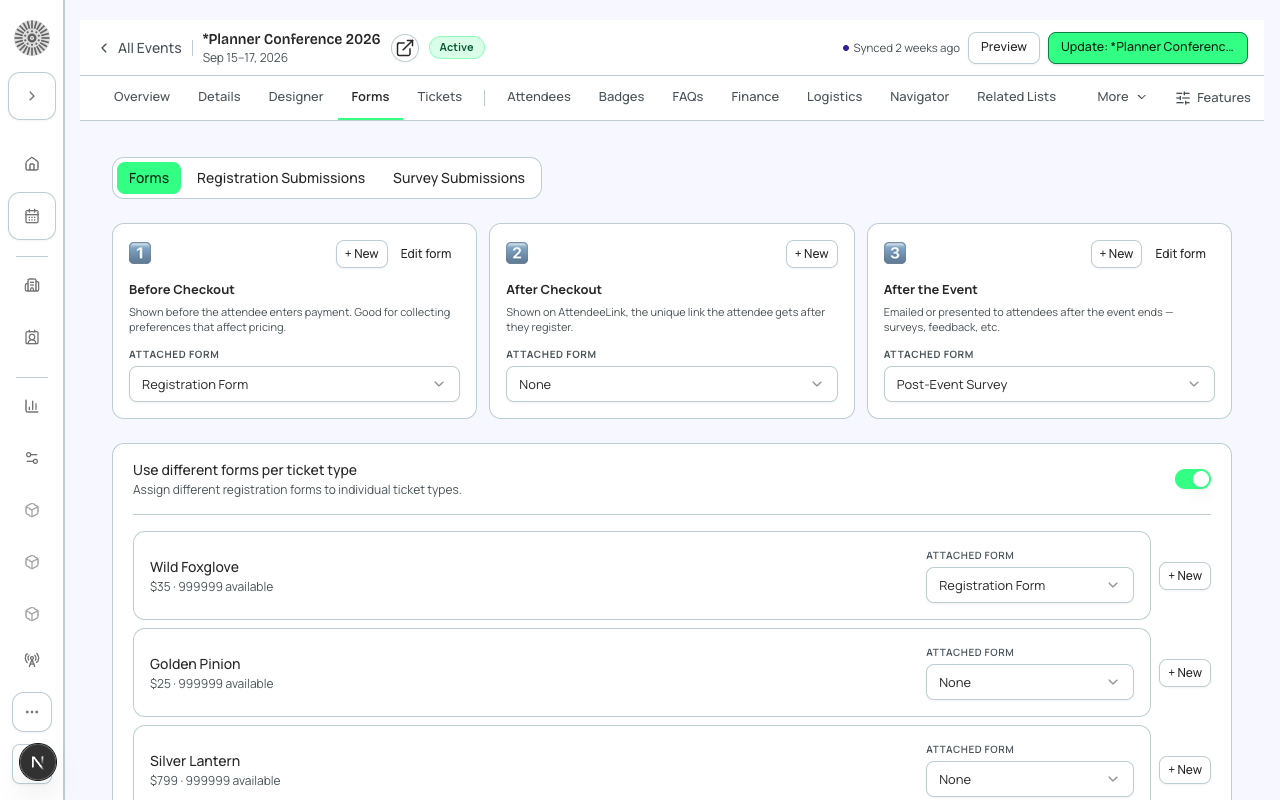
How forms work
A Form is a Salesforce record (conference360__Form__c) that contains one or more Form Elements (conference360__Form_Element__c). Each Form Element is a question that maps to a specific Salesforce object and field. When a registrant submits the form, Forge writes the answer to the mapped Salesforce field — for example, mapping a "Dietary Restrictions" question to a custom field on the Contact record.
| Forge | SF Object | SF Field |
|---|---|---|
| Form | conference360__Form__c | Name, conference360__Type__c |
| Form question / element | conference360__Form_Element__c | Name, conference360__Maps_To_Object__c, conference360__Maps_To_Field__c |
| Linked event | conference360__Form__c | conference360__Event__c |
Field mapping
When you add a question to a form, you specify:
- Label — the text the registrant sees.
- Type — text, textarea, dropdown, checkbox, date, etc.
- Maps to Object — the Salesforce object the answer is written to (Contact, Lead, Attendee, or a custom object).
- Maps to Field — the specific Salesforce field API name on that object.
- Required — whether the registrant must answer the question before completing registration.
- Visibility conditions — show/hide the question based on other answers (powered by bt_base__Rule__c).
Form types
- Registration Form — shown during the checkout flow, before payment. Attached to an event or ticket.
- Post-Registration Form — shown immediately after checkout completes, distinct from the pre-registration form above.
- Session Enrollment Form — shown when a registrant selects a session.
- Survey Form — can be sent post-event via a link; not shown during checkout.
Form answers are never stored in Forge's Postgres
Forge Forms follow a strict PII boundary: registrant answers are written directly to Salesforce and are never persisted in Forge's own database. This means Forge cannot display historical form answers from its own storage — it always fetches them from Salesforce. Do not build integrations that assume Forge stores form responses.
Cloning forms
You can clone a form to reuse it across multiple events. Cloning creates new conference360__Form__c and conference360__Form_Element__c records in Salesforce. Edits to the clone do not affect the original.
Visibility rules
Forge Forms support conditional logic: show or hide a question based on the registrant's answer to a previous question. These rules are stored as bt_base__Rule__c and bt_base__Rule_Condition__c records in Salesforce and are evaluated client-side during the registration flow.
Form answers write to Salesforce
Every form answer is written to Salesforce — either to the Form Submission record, or to a mapped field when one is configured. Forge uses the conference360__ managed CRUD executor for all server-initiated writes, so your Salesforce field-level security, validation rules, and record-triggered flows all apply to form answer writes.